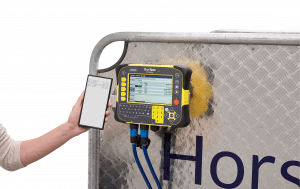
Data Transfer Instructions
We’re making it easier to manage your data, whether you’re using your phone or desktop — we’ve got you covered.
Transferring your data with Horse Weigh is simple. Just follow the instructions to set up your devices today.
Android or Smartphone – data transfer from the indicator to your phone
Visit your App store on your mobile device.
Search for and download Datamars Pro and follow the prompts to get started.
Or click here to download
Desktop PC – data transfer from the indicator to your computer or laptop
To transfer the data from your indicator to any pc, then you will need to download the free Datamars Data Link to your pc – Data Link PC Software | Tru-Test Datamars